Features
A trading journal built for backtesting, live review, and consistency.
Elite Journaling keeps backtesting data, live trades, trade screenshots, reminders, weekly reviews, exports, and performance stats in one private workspace.
Trade journal
Log trade setup, bias, risk, result, execution details, mistakes, and notes for backtesting or live trading.
Trade screenshot vault
Attach chart trade screenshots so every trade review has visual context.
Weekly review
Review completed trades, incomplete entries, common mistakes, and focus areas.
Performance stats
Track R multiple, win rate, drawdown, expectancy, net gain, streaks, and setup quality.
Reminders
Use in-app reminders for weekly reviews and incomplete entries.
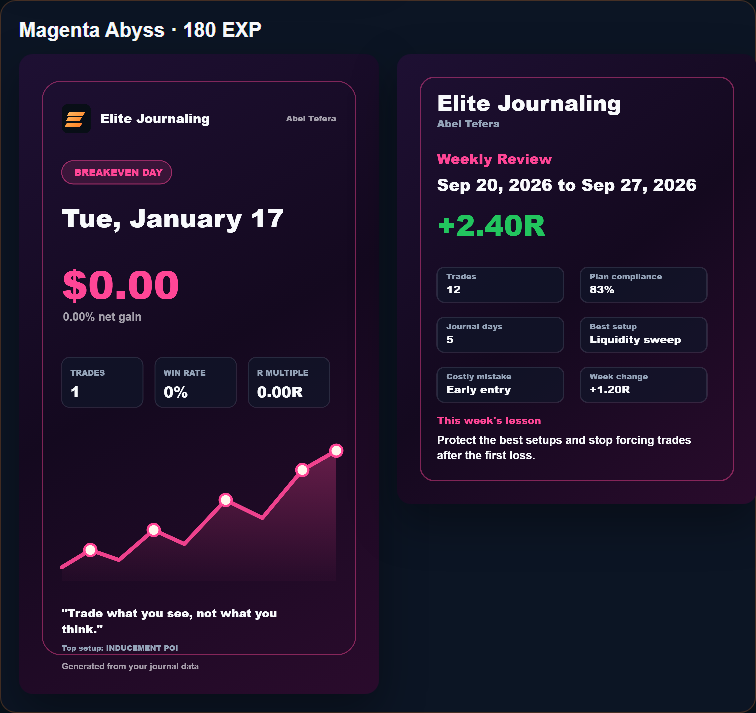
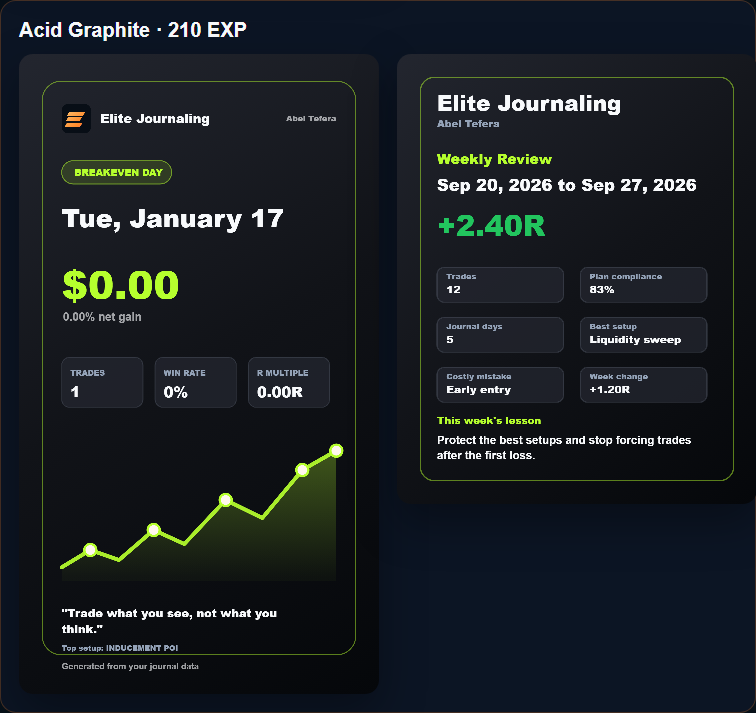
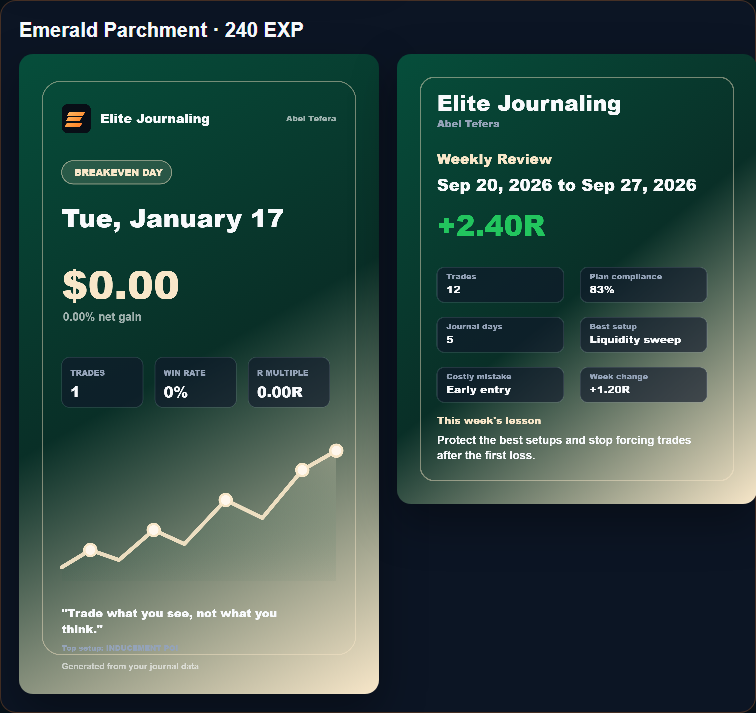
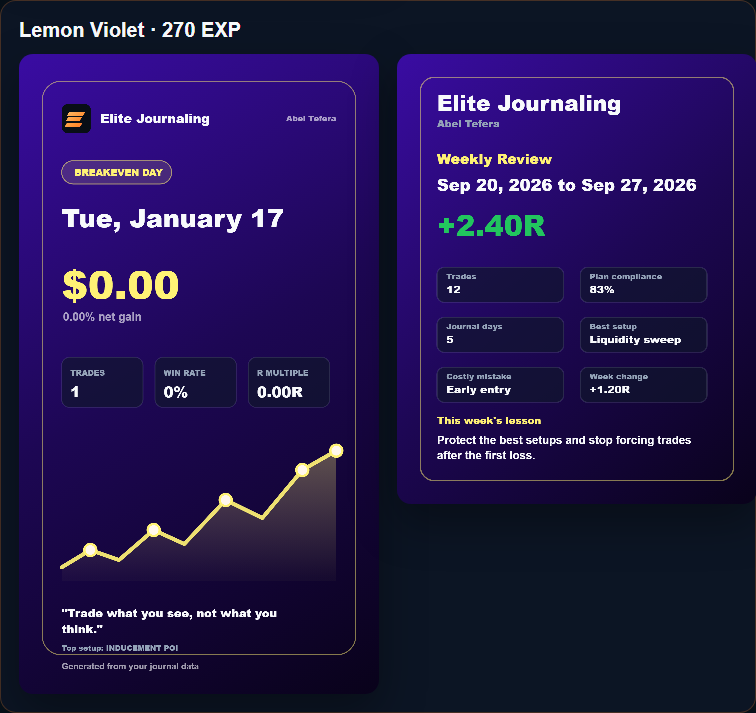
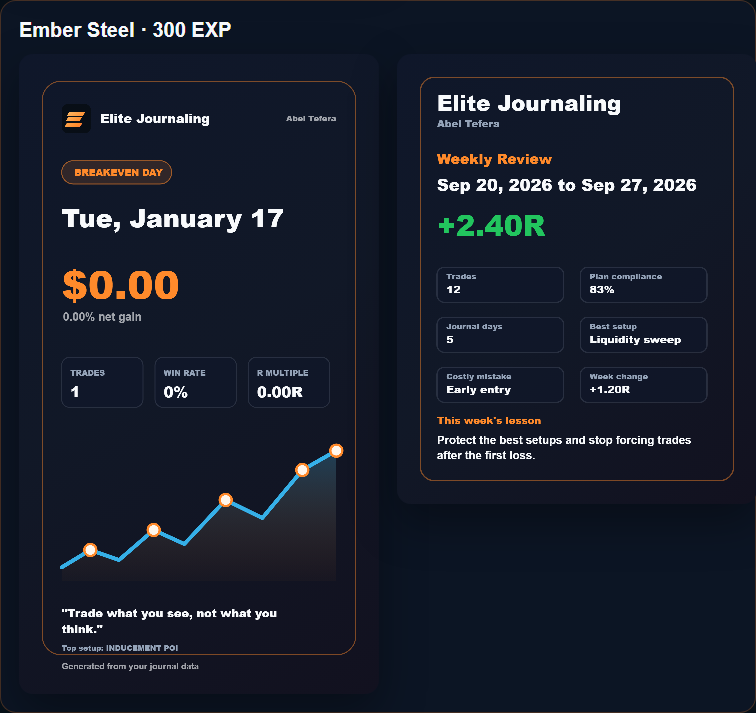
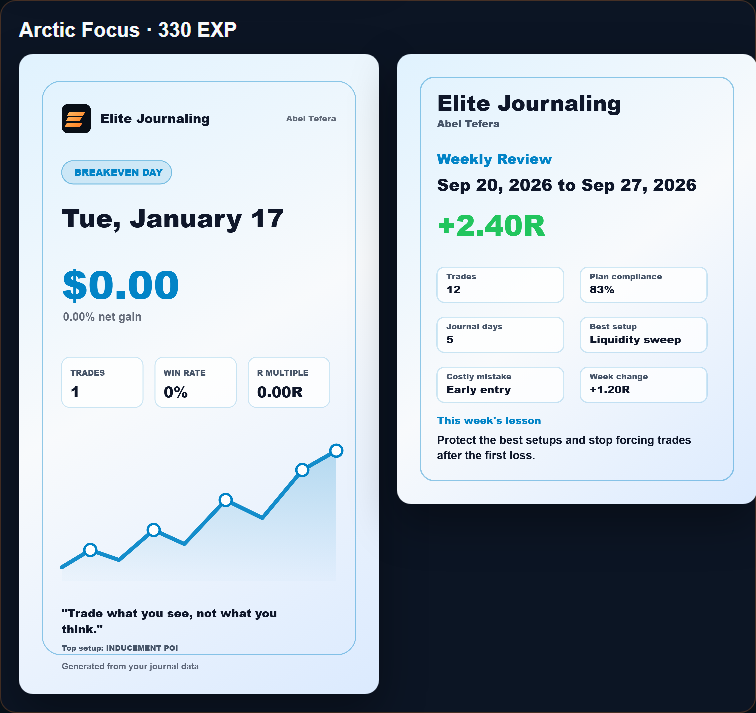
Shareable result cards
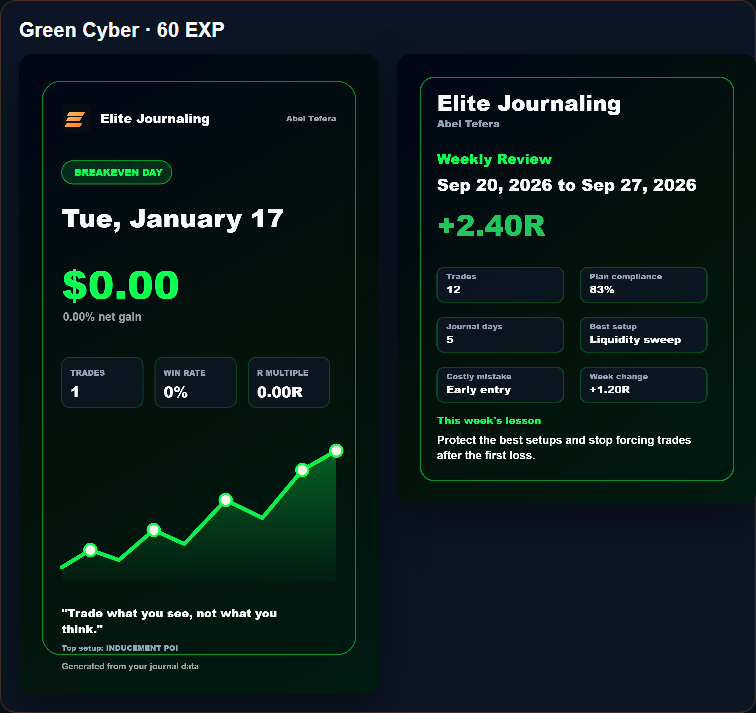
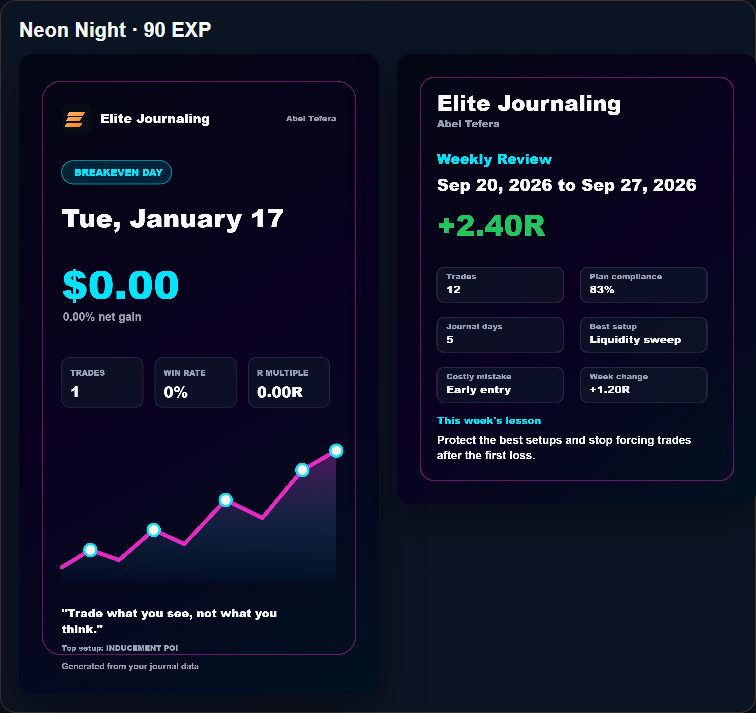
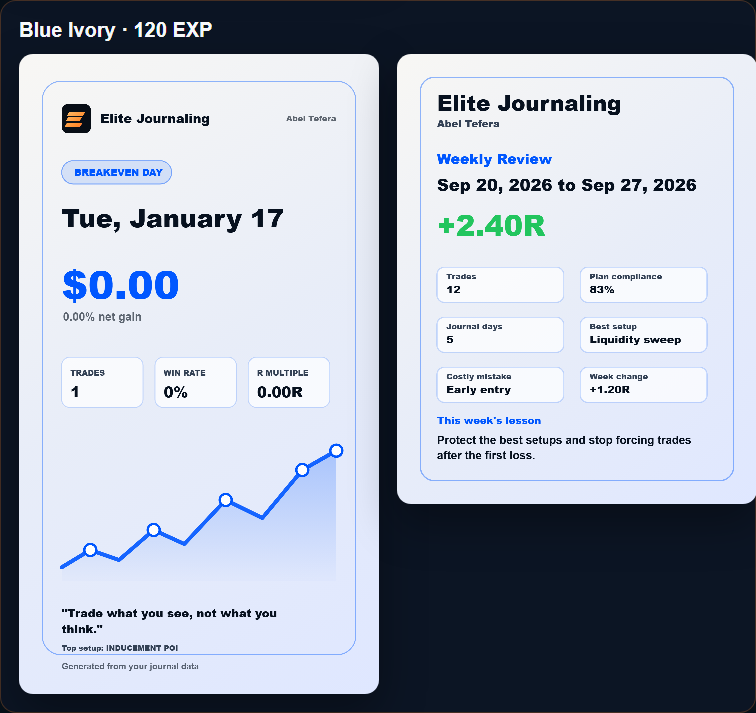
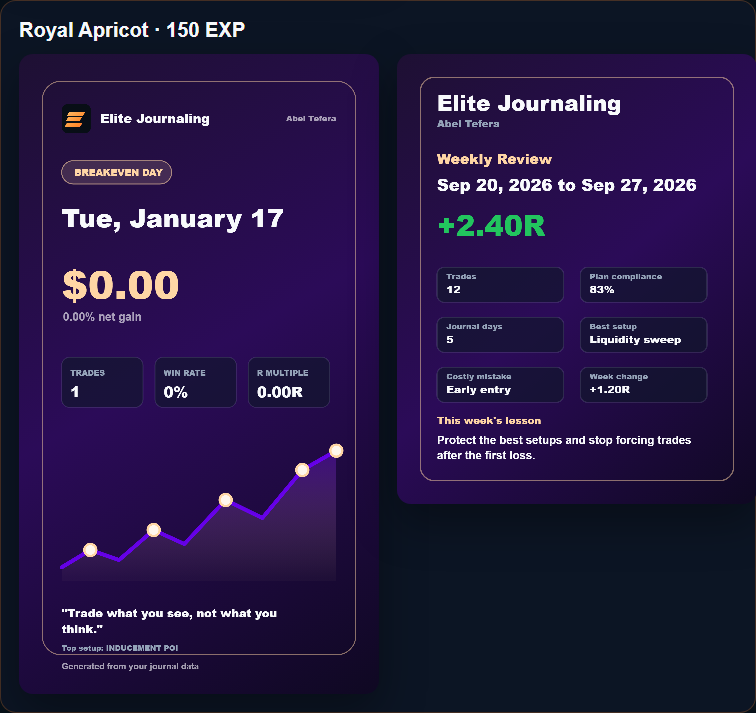
Create polished publicly shareable trade result cards for daily results and weekly review progress.
What you get
Everything a serious trading journal should connect.
Most traders already have the data. It is just scattered across trade screenshots, notes, memory, live sessions, and backtesting folders. Elite Journaling keeps the pieces tied together so every trade can teach you something later.
Cloud-synced journal
Start on mobile, review on desktop, and keep the same trade history across devices.
Trade screenshot vault
Keep chart trade screenshots attached to the exact trades they explain.
Weekly review system
Turn the week into a clear review instead of guessing what went wrong.
Dashboard analytics
Read your win rate, R:R, drawdown, expectancy, net gain, streak, and setup behavior in one place.
Public share cards
Turn reviewed journal data into polished publicly shareable trade result cards without exposing the whole account.
EXP themes
Unlock custom daily and weekly export themes by completing useful review habits.
Backtesting and live trading
Use the same review system before and after the trade goes live.
Backtesting is where you prove a setup has structure. Live trading is where you prove you can execute it with discipline. Elite Journaling keeps both workflows in the same language: setup, bias, risk, trade screenshots, result, mistake, and review.
Backtesting data
Record historical setups, trade screenshots, R-multiple outcomes, and repeated patterns so your strategy research becomes searchable instead of scattered.
Real accounts
Track live execution, drawdown, win rate, and journal consistency without mixing your trading plan with hype or signal chasing.
Prop-firm accounts
Review discipline, risk behavior, and weekly consistency when rules, drawdown limits, and clean execution matter most.
Risk and execution review
Review risk like a trader, not a gambler.
Elite Journaling is not a broker-side trade blocker, signal service, or copy-trading tool. It is a review system that helps you understand the risk you actually took after each backtest, live trade, real account session, or prop-firm trading week.
Trade expectancy
See whether your average result is positive or negative after wins, losses, and breakeven trades are included.
Confluence Edge
Review which combinations of checklist items are returning gain or loss, so your best confluence is based on data instead of memory.
Execution timing
Use execution time, session, pair, setup, timeframe, weekday, and month filters to find when your trading behavior is strongest or weakest.
Filtered exports
Export PDF or CSV reports from filtered dashboard data, such as one month, one year, one setup, or a specific review period.
Dashboard analytics
Know what your trading is really saying.
The dashboard turns your journal into a quick read of execution, risk, discipline, and progress. Beginners get clarity on what to fix first. Experienced traders get faster pattern recognition without digging through every entry.
Win rate and R:R
See whether your edge is coming from clean execution, bigger winners, or simply taking too many low-quality trades.
Net gain and equity curve
Watch your account direction over time instead of judging yourself by one good or bad day.
Max drawdown
Spot when losses are getting too deep, so risk control becomes visible before emotion takes over.
Buy/sell split
Find directional bias. If you keep forcing buys or sells, the dashboard makes that habit hard to ignore.
Setup, mistake, and Confluence Edge
See which setups deserve more attention, which repeated mistakes cost you progress, and which checklist combinations return gain or loss.
Expectancy, streaks, and completion
Track expectancy, consistency, unfinished entries, and review habits so discipline becomes measurable, not just something you hope you have.
New traders can use the dashboard to understand risk, trade quality, and basic consistency. Advanced traders can use it to compare setups, review drawdowns, filter performance, and tighten execution week after week.
Who it helps
Useful whether you are learning, refining, or scaling.
Beginners
Know what to record, learn the difference between a setup and a guess, and stop repeating the same mistakes without noticing.
Intermediate traders
Find your best sessions, strongest setups, weak habits, and the discipline leaks that quietly reduce your edge.
Advanced traders
Review execution quality, risk behavior, trade screenshots, and setup performance faster, with less manual sorting.
Before
Scattered review.
- Trades spread across trade screenshots, notes, and memory.
- Mistakes are hard to find until they repeat.
- Weekly review is easy to skip because the work feels messy.
After
Connected discipline.
- Trades, trade screenshots, and review data stay connected.
- Patterns become visible before they become expensive.
- Weekly discipline becomes trackable, exportable, and easier to keep.
Discipline rewards
Earn EXP by keeping the journal useful.
EXP rewards review habits, not overtrading. Use it to unlock custom share-card themes for daily exports and weekly review cards.
What you can unlock: different public card styles for sharing backtesting results, live trading days, and weekly review progress.
Trust and control
Your journal should stay yours.
Google sign-in
Secure login through Google. The app does not store your password.
Private journal data
Your trades, trade screenshots, reviews, settings, and account history are kept inside your workspace.
User-controlled exit
Export backups when needed, and permanently delete your account from the account menu.